
 Last ned
Kviskr for Mac
Hold a key, speak Norwegian and let go. Kviskr turns your speech into text in the app you're using, with a speech model trained on Norwegian that runs on your Mac.
To dictate Norwegian on a Mac, you can use the dictation built into macOS, or install Kviskr. Kviskr is a Mac app built around NB-Whisper, a speech model from the National Library of Norway. Hold a key, speak bokmål, nynorsk or your own dialect, and let go. The text appears where you're typing.
Hold, speak, let go
How it works.
Kviskr works like a keyboard you speak into. You hold a key while you talk, let go, and the text lands in the app you're using: an email, a document, a chat or a code editor. There is no separate window to copy from.
- 01
Pick a shortcut
In Settings, choose the key you want to hold, for example the right Option key. The same key works in every app.
- 02
Hold and speak
Talk the way you would explain something to a colleague. The recording window shows the waveform while you speak.
- 03
Let go, and the text is there
With Accessibility access turned on, the text is pasted into the field you're working in. Without it, the text goes to the clipboard, ready to paste.
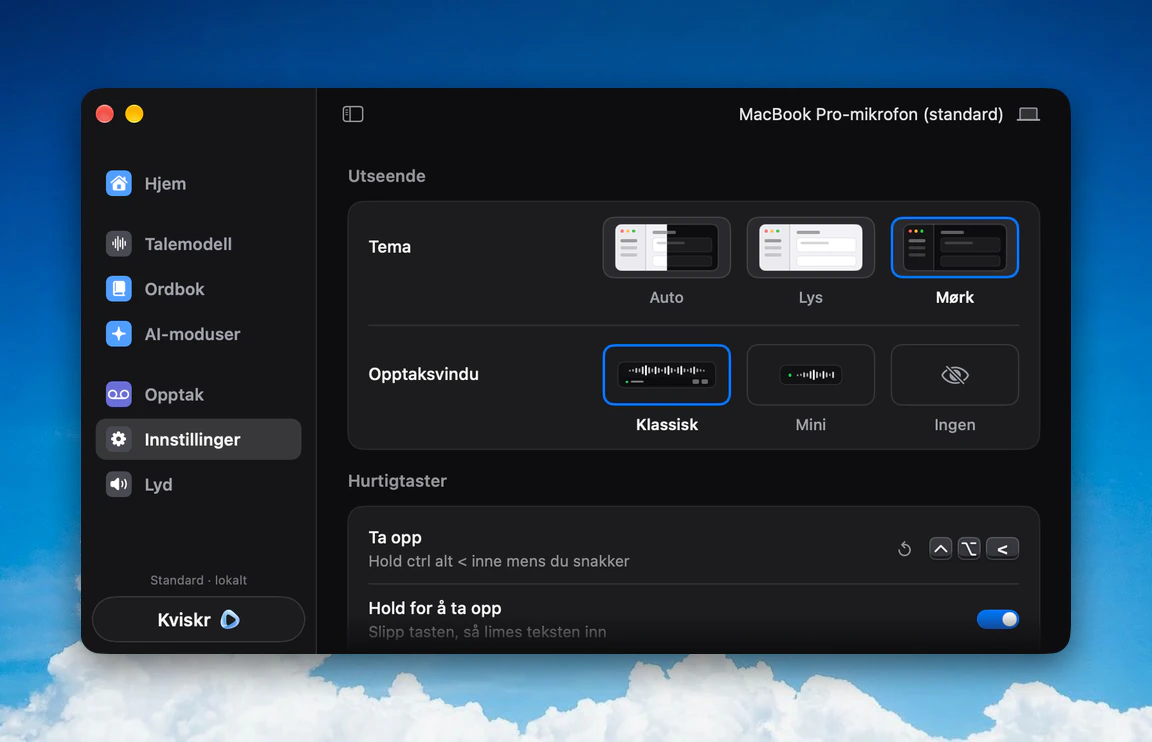
A speech model trained on Norwegian
The speech recognition in Kviskr is NB-Whisper, made by the AI lab at the National Library of Norway and trained on around 66,000 hours of Norwegian speech. It runs locally on your Mac. You choose bokmål or nynorsk as your written standard, and you can speak the way you normally do, dialect included. Names and technical terms you use often go in the vocabulary, so they are spelled right. Kviskr is independent and not affiliated with the National Library.
The Norwegian models also handle English, and you can switch language from the menu bar. For other languages, you can download one of the general Whisper models in the app, which adds Danish, Swedish, Finnish, German, French, Spanish and more. For Norwegian, NB-Whisper is the better fit.
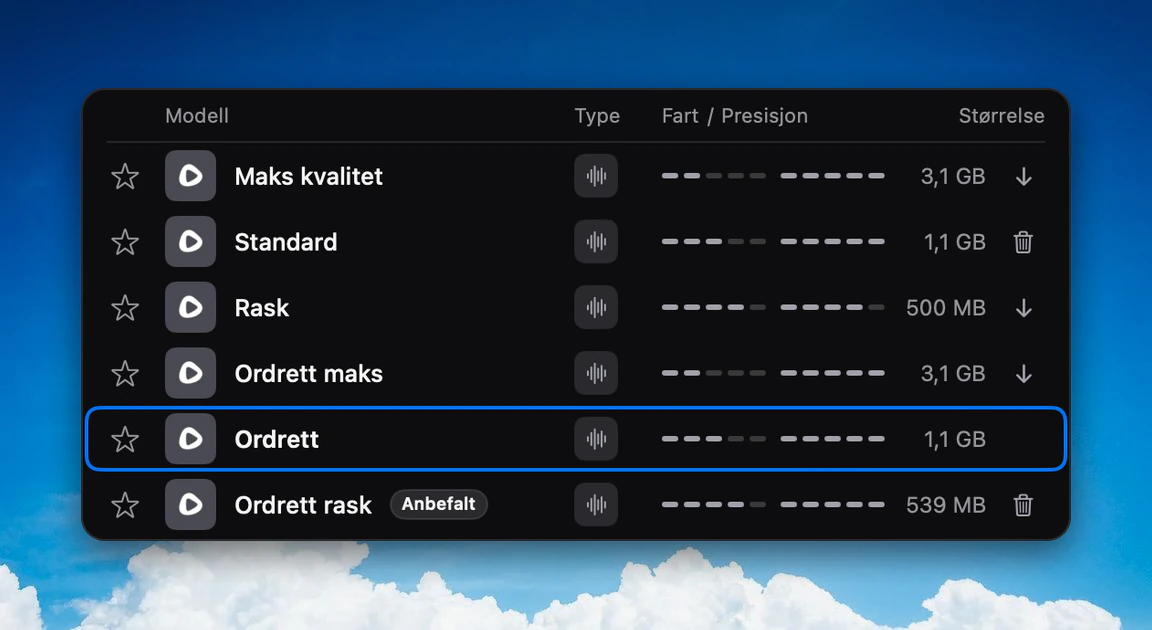
Good to know: the app is in Norwegian
Kviskr's menus, settings and help pages are in Norwegian only, and so is the rest of this website. There is no English version of the interface. The setup walks you through microphone access, Accessibility and your choice of bokmål or nynorsk, and everything can be changed later. If you get stuck, you're welcome to email hei@kviskr.no in English.
Kviskr, Apple Dictation, Superwhisper and Wispr Flow
Apple Dictation is built in and free, and it holds up well for short, simple sentences. Superwhisper runs on macOS, Windows, iOS and Android, with both local and cloud models, and suits you if you want the same dictation everywhere or mostly work in English. Wispr Flow is very polished in English and cloud-based. Kviskr is the one built for Norwegian.
| App | Speech recognition | Published Norwegian error rate | Price | Platforms |
|---|---|---|---|---|
| Kviskr | Local speech recognition | No published app measurement; NB-Whisper Large: 2.2% on NST* | Free during early access | macOS (Apple Silicon) |
| Apple Dictation | Varies with setup | Not published | Free, built in | macOS, iOS |
| Superwhisper | Local and cloud models | Not published | Free + Pro from $8.49/month | macOS, Windows, iOS, Android |
| Wispr Flow | Cloud-based | Not published | Free + Pro subscription | macOS, Windows, iOS, Android |
Kviskr
- Speech recognition
- Local speech recognition
- Published Norwegian error rate
- No published app measurement; NB-Whisper Large: 2.2% on NST*
- Price
- Free during early access
- Platforms
- macOS (Apple Silicon)
Apple Dictation
- Speech recognition
- Varies with setup
- Published Norwegian error rate
- Not published
- Price
- Free, built in
- Platforms
- macOS, iOS
Superwhisper
- Speech recognition
- Local and cloud models
- Published Norwegian error rate
- Not published
- Price
- Free + Pro from $8.49/month
- Platforms
- macOS, Windows, iOS, Android
Wispr Flow
- Speech recognition
- Cloud-based
- Published Norwegian error rate
- Not published
- Price
- Free + Pro subscription
- Platforms
- macOS, Windows, iOS, Android
* 2.2% is the published word error rate for NB-Whisper Large on bokmål in the NST dataset, not a measurement of Kviskr. The number applies to the Large model, and Kviskr uses medium by default. Competitors were checked on their own websites on 27 and 28 September 2026. Prices change, so check each vendor's own page. The full comparison, in Norwegian, is on kviskr.no/sammenlign.
Privacy
Speech recognition runs locally on your Mac, and the standard Norwegian model comes with the app, so you can dictate offline. The optional AI modes can tidy your text, turn it into an email or translate it into English, using Claude or OpenAI with your own key. They are off by default. When you turn one on, the transcribed text is sent to the provider you chose.
What you need
Kviskr 0.6.0 runs on a Mac with Apple Silicon (M1 or later) and macOS 15.1 or later. The app takes about 600 MB. Your results depend on your voice, microphone and vocabulary, so try it with the sentences you actually write.
Frequently asked questions
Hold a key and speak Norwegian.
Free during early access. No account needed. Requires macOS 15.1 or later and Apple Silicon.
Or install with Homebrew